Email notification setup
Add parent–child product connectors and discount price displays to official Shopify notifications. Original Shopify wording, language and business logic stay unchanged.
Your email code stays in this browser. It is not uploaded or stored.
- ✓ Parent-child connections
- ✓ Original prices struck through
- ✓ Discounted prices in red
- ✓ Official Shopify wording preserved
One set of English Shopify screenshots serves every language. Follow the numbered instructions; click an image to enlarge it.
1Open the order confirmation notification
Follow the path below to open Order confirmation, then click Edit code.
Shopify admin → Settings → Notifications → Customer notifications → Order confirmation
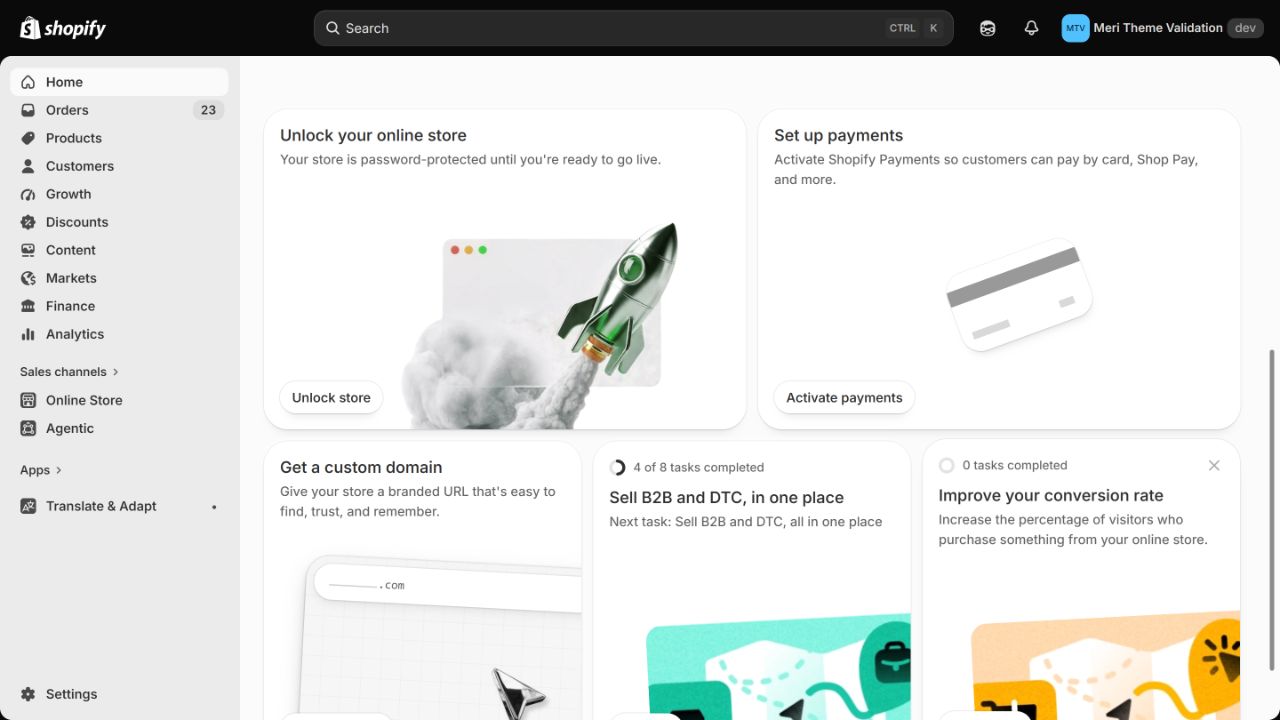
- 1ClickSettings
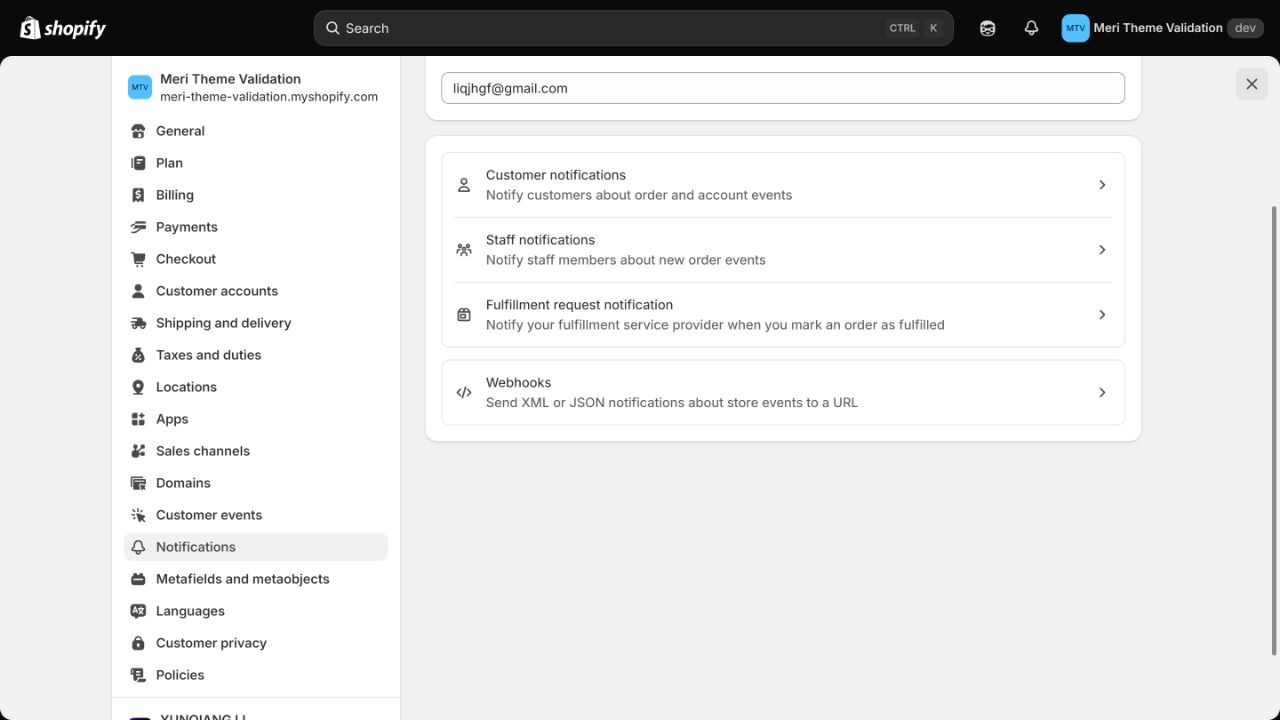
- 2ClickNotifications
- 3ClickCustomer notifications
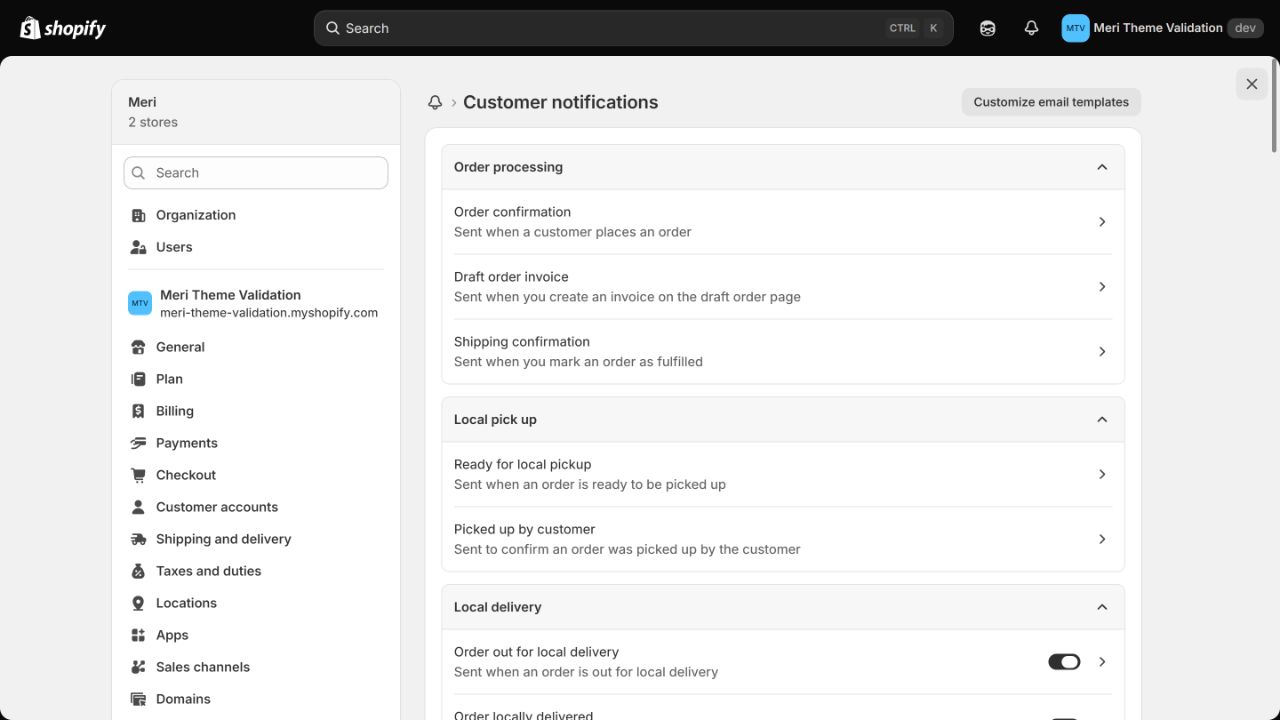
- 4ClickOrder confirmation
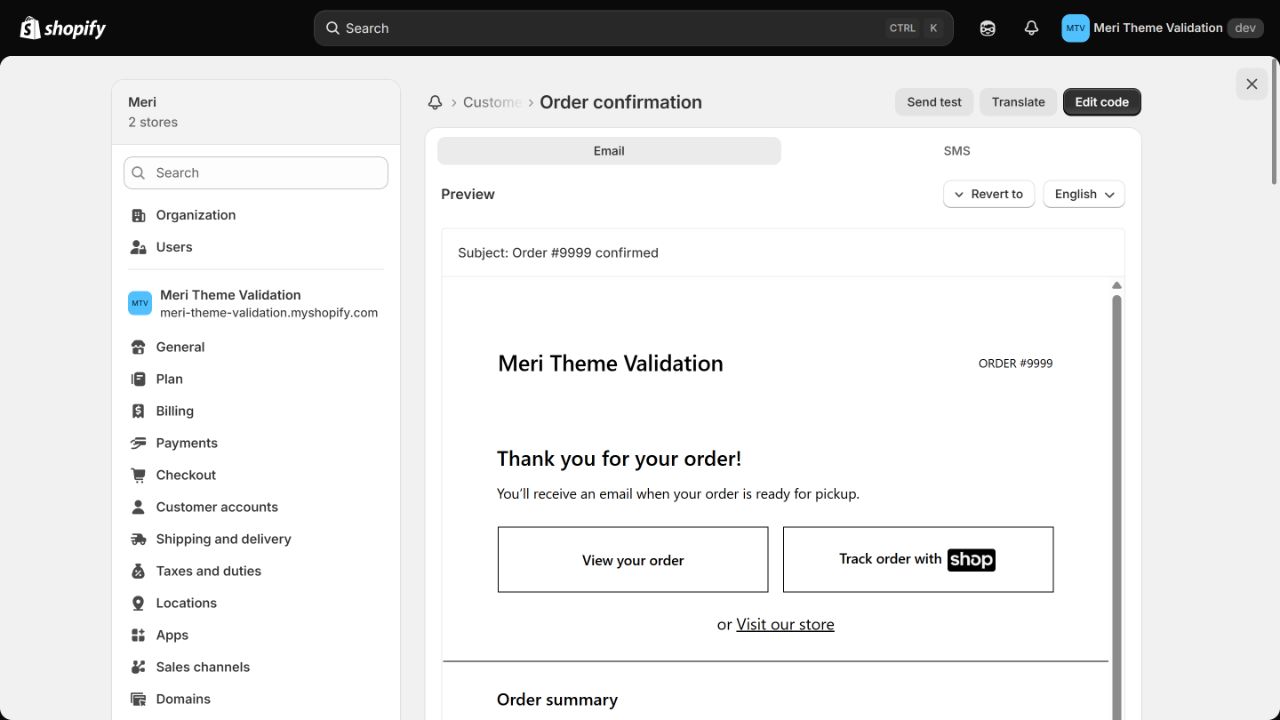
- 5ClickEdit code
2Copy the current email body
On the editing page, find Email body (HTML). Copy all the content inside that field only.
Select all body content → Copy
Keep the email subject unchanged.
This tool processes only the email body, not the subject.
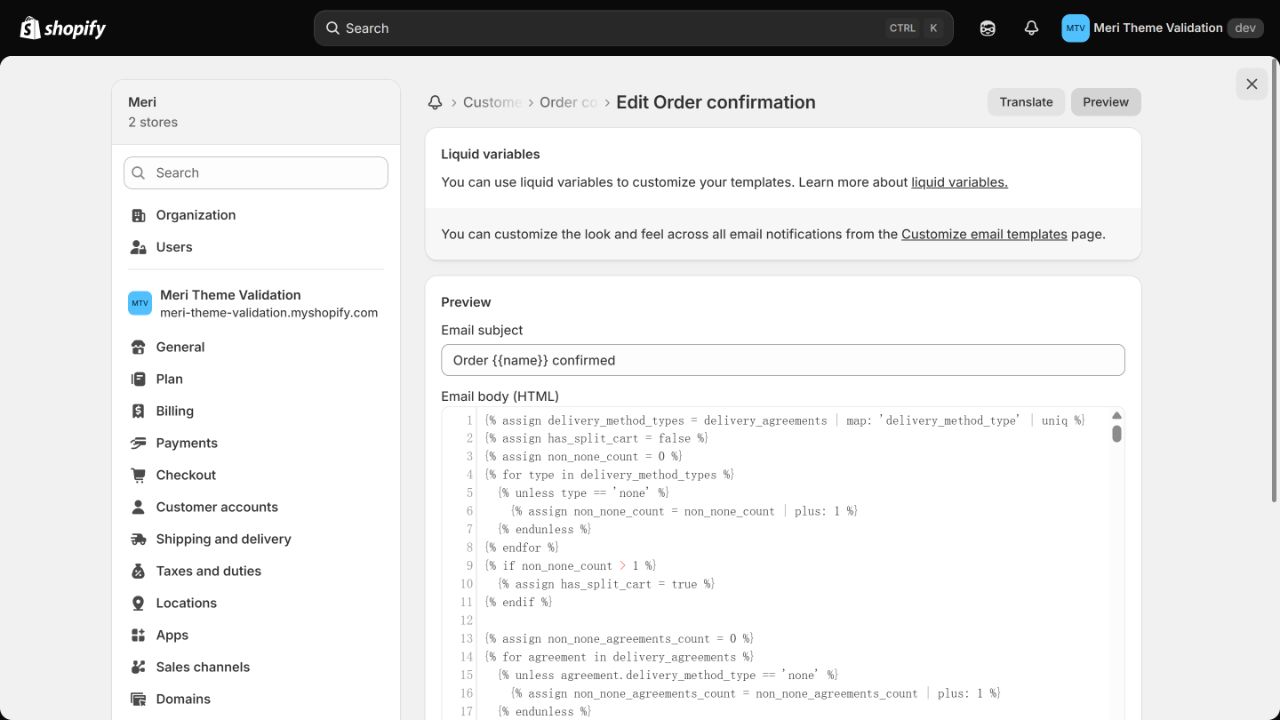
- 1ClickEmail body (HTML)